|
|
| (7 intermediate revisions by 2 users not shown) |
| Line 1: |
Line 1: |
| <div class="alert alert-warning">This page exists just for testing purposes. Carousels are not currently supported by Tweeki out of the box. Patches with CSS fixes and the necessary code to allow the <code>data-slider</code> attribute in <code>btn</code> elements are warmly welcome.</div>
| | [[Category:Components]] |
|
| |
|
| This said, there is couple of workarounds, that you could use if you're really eager to get a carousel on you wiki:
| | == Simple Example == |
| # Use the standard Bootstrap-slider carousel ''without the controls''
| |
| # Use the [https://www.mediawiki.org/wiki/Extension:Widgets extension Widgets] if you need a full functioning carousel
| |
| | |
| Additionally, you can also adapt the standard Bootstrap ''slider'' to a ''fading'' carousel. This will make your carousel less "flashy". You will have to skip the ''controls'' part of the carousel as well, though.
| |
| | |
| == Standard carousel without controls == | |
| | |
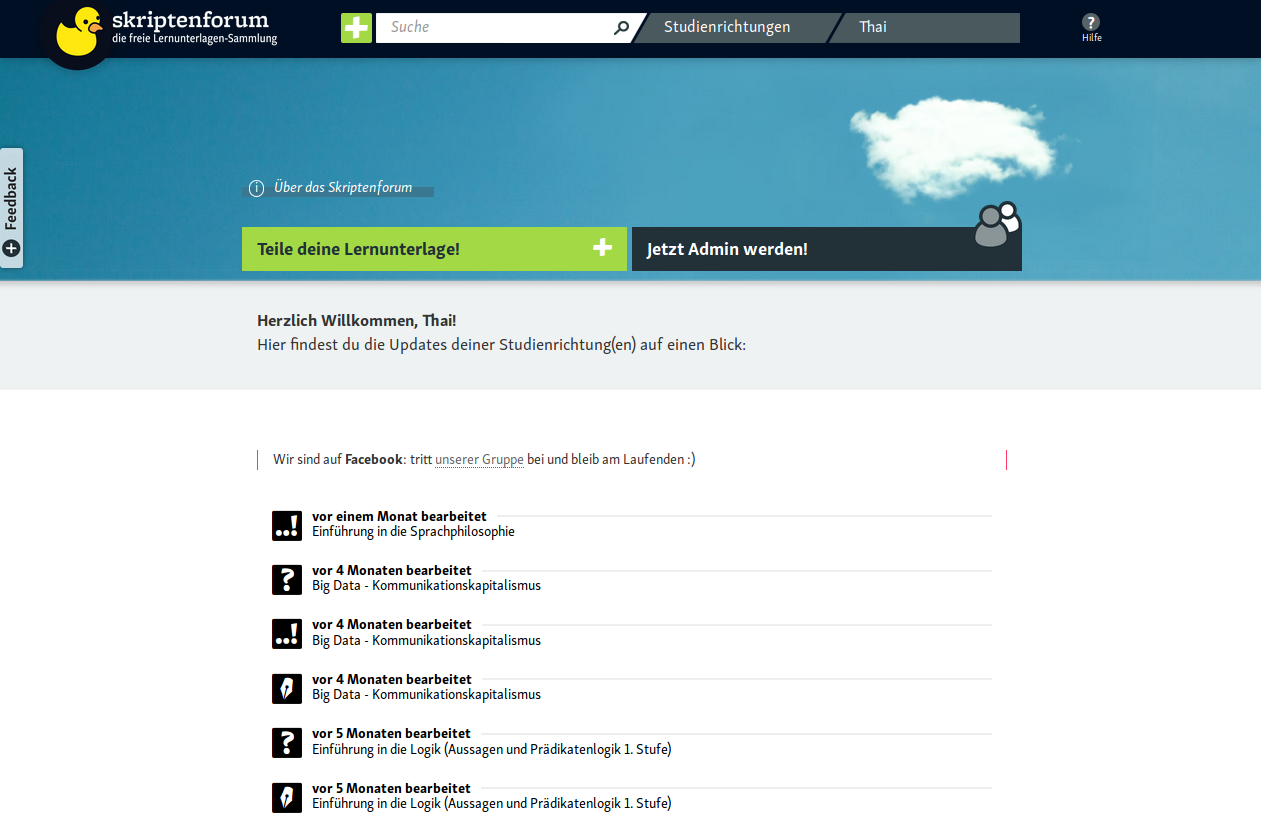
| This is the more-or-less standard bootstrap carousel code, with the ''controls'' part removed. Then, only the images are adapted to wiki text:
| |
|
| |
|
| <pre> | | <pre> |
| <div id="carousel-example-generic" class="carousel slide" data-ride="carousel"> | | <div id="carouselExampleSlidesOnly" class="carousel slide" data-ride="carousel"> |
| <!-- Indicators -->
| | <div class="carousel-inner"> |
| <ol class="carousel-indicators">
| | <div class="carousel-item active"> |
| <li data-target="#carousel-example-generic" data-slide-to="0" class="active"></li>
| | [[File:Screenshot_tweeki.png|link=Mainpage|class=d-block w-100]] |
| <li data-target="#carousel-example-generic" data-slide-to="1"></li>
| |
| <li data-target="#carousel-example-generic" data-slide-to="2"></li>
| |
| </ol>
| |
| | |
| <!-- Wrapper for slides -->
| |
| <div class="carousel-inner" role="listbox">
| |
| <div class="item active">
| |
| [[File:Screenshot_tweeki.png|link=Mainpage|class=img-responsive]]
| |
| <div class="carousel-caption">
| |
| <h3 style="color: red">Caption 1</h3>
| |
| </div>
| |
| </div>
| |
| <div class="item">
| |
| [[File:Screenshot_skrifo.png|link=Mainpage|class=img-responsive]]
| |
| <div class="carousel-caption">
| |
| <h3 style="color: red">Caption 2</h3>
| |
| </div>
| |
| </div>
| |
| <div class="item">
| |
| [[File:Screenshot_skrifo.png|link=Mainpage|class=img-responsive]]
| |
| <div class="carousel-caption">
| |
| <h3 style="color: red">Caption 3</h3>
| |
| </div>
| |
| </div>
| |
| </div>
| |
| | |
| <!-- Controls removed -->
| |
| </div>
| |
| </pre>
| |
| | |
| '''NB: Make sure to remove all the indents (spaces), or they will mess up the layout!'''
| |
| | |
| === Example Standard Carousel - no controls ===
| |
| | |
| This is what the result of the code above will look like:
| |
| | |
| <div id="carousel-example-generic" class="carousel slide" data-ride="carousel">
| |
| <!-- Indicators -->
| |
| <ol class="carousel-indicators">
| |
| <li data-target="#carousel-example-generic" data-slide-to="0" class="active"></li>
| |
| <li data-target="#carousel-example-generic" data-slide-to="1"></li>
| |
| <li data-target="#carousel-example-generic" data-slide-to="2"></li>
| |
| </ol>
| |
| | |
| <!-- Wrapper for slides -->
| |
| <div class="carousel-inner" role="listbox">
| |
| <div class="item active">
| |
| [[File:Screenshot_tweeki.png|link=Mainpage|class=img-responsive]] | |
| <div class="carousel-caption">
| |
| <h3 style="color: red">Caption 1</h3>
| |
| </div> | | </div> |
| | <div class="carousel-item"> |
| | [[File:Screenshot_skrifo.png|link=Mainpage|class=d-block w-100]] |
| </div> | | </div> |
| <div class="item">
| |
| [[File:Screenshot_skrifo.png|link=Mainpage|class=img-responsive]]
| |
| <div class="carousel-caption">
| |
| <h3 style="color: red">Caption 2</h3>
| |
| </div> | | </div> |
| </div> | | </div> |
| <div class="item">
| | </pre> |
| [[File:Screenshot_skrifo.png|link=Mainpage|class=img-responsive]]
| |
| <div class="carousel-caption">
| |
| <h3 style="color: red">Caption 3</h3>
| |
| </div>
| |
| </div>
| |
| </div>
| |
| | |
| <!-- Controls removed -->
| |
| </div> | |
| | |
| == Bootstrap carousel using the Widget extension ==
| |
| | |
| TBD
| |
| | |
| == Using custom styling and template for Bootstrap carousel ==
| |
| | |
| TBD
| |
| | |
| | |
|
| |
|
| <!--
| | <div id="carouselExampleSlidesOnly" class="carousel slide" data-ride="carousel"> |
| == This example is not working ... ==
| | <div class="carousel-inner"> |
| <div id="carousel-example-generic" class="carousel slide" data-ride="carousel"> | | <div class="carousel-item active"> |
| <ol class="carousel-indicators"> | | [[File:Screenshot_tweeki.png|link=Mainpage|class=d-block w-100]] |
| <li data-target="#carousel-example-generic" data-slide-to="0" class="active"></li>
| |
| <li data-target="#carousel-example-generic" data-slide-to="1"></li>
| |
| <li data-target="#carousel-example-generic" data-slide-to="2"></li>
| |
| </ol>
| |
| | |
| <div class="carousel-inner" role="listbox"> | |
| <div class="item active">
| |
| [[File:Screenshot_tweeki.png|link=|600px]] | |
| <div class="carousel-caption">
| |
| Caption 1
| |
| </div> | | </div> |
| | <div class="carousel-item"> |
| | [[File:Screenshot_skrifo.png|link=Mainpage|class=d-block w-100]] |
| </div> | | </div> |
| <div class="item">
| |
| [[File:Screenshot_skrifo.png|link=|600px]]
| |
| <div class="carousel-caption">
| |
| Caption 2
| |
| </div> | | </div> |
| </div> | | </div> |
| Bottom
| |
| </div>
| |
|
| |
| <btn class="left carousel-control" role="button" data-slide="prev">#carousel-example-generic|<span class="glyphicon glyphicon-chevron-left" aria-hidden="true"></span>
| |
| <span class="sr-only">Previous</span>
| |
| </btn>
| |
| <btn class="right carousel-control" role="button" data-slide="next">#carousel-example-generic|<span class="glyphicon glyphicon-chevron-right" aria-hidden="true"></span>
| |
| <span class="sr-only">Next</span>
| |
| </btn>
| |
| </div>
| |
| -->
| |
Simple Example
<div id="carouselExampleSlidesOnly" class="carousel slide" data-ride="carousel">
<div class="carousel-inner">
<div class="carousel-item active">
[[File:Screenshot_tweeki.png|link=Mainpage|class=d-block w-100]]
</div>
<div class="carousel-item">
[[File:Screenshot_skrifo.png|link=Mainpage|class=d-block w-100]]
</div>
</div>
</div>